
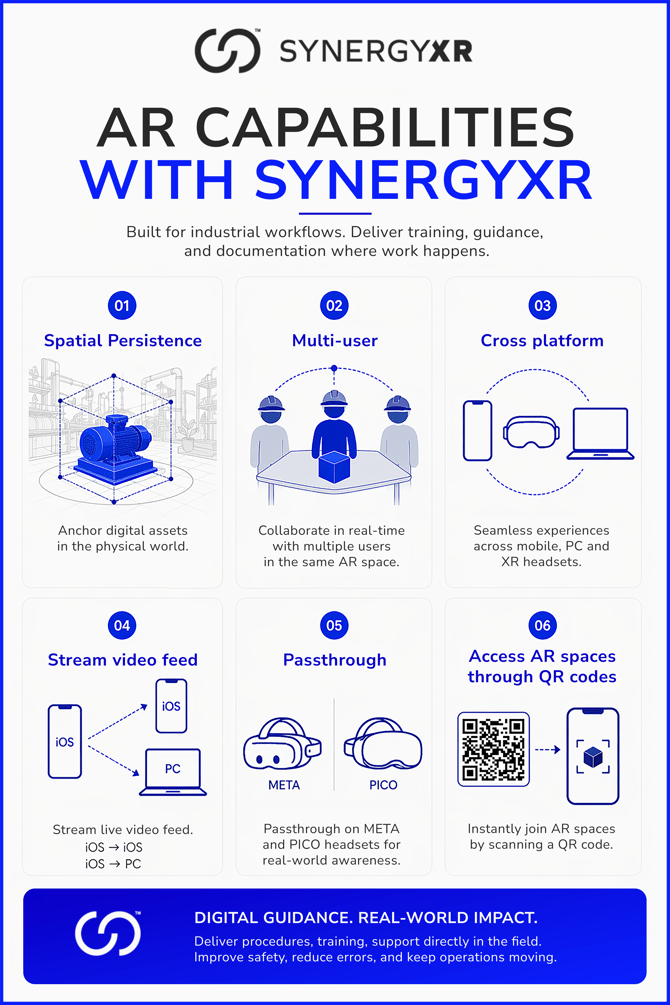
Spatial Persistence
AR content in SynergyXR is spatially anchored, meaning 3D models, procedures, labels, and other digital assets are fixed to specific locations in the physical world. When a user re-enters an AR space, content reappears in the same position relative to the real environment. This is particularly useful in industrial settings such as factories, energy facilities, and workshops, where instructions need to stay attached to specific equipment or work areas rather than floating in generic space.
Multi-User AR
AR sessions in SynergyXR are multi-user by default. Several participants can enter the same AR space simultaneously and see the same anchored content in real time. This enables use cases like remote expert support (an expert joins from PC or VR while a technician uses AR on-site), collaborative walkthroughs, group training, and live inspections. Voice communication between participants is built in and encrypted. Cross-device collaboration means an iOS user, a PC user, and a VR headset user can all be present in the same session.
Cross-Platform
AR is one part of SynergyXR's cross-platform model. The same space and content can be accessed from iOS/iPadOS (AR), Windows PC, Mac, Meta Quest (VR or passthrough AR), Pico (VR or passthrough AR), and Apple Vision Pro. Authors build content once and it runs across all supported devices. This means organisations can deploy AR in the field while supervisors or trainers follow along from a desktop or headset without any content duplication.
Live Video Streaming
SynergyXR supports live video feed streaming from iOS to iOS and from iOS to PC. A field worker using an iPhone can stream their camera view to a remote colleague, enabling real-time visual guidance without the remote party needing to be physically present. This is useful for remote assistance, quality inspections, and supervisor oversight in environments where travel is costly or impractical.
Passthrough AR on Headsets
On Meta Quest 3, Quest 3s, Pico 4, and Pico 4 Ultra Enterprise, SynergyXR supports passthrough mode. The headset cameras capture the real-world environment and display it inside the headset, with digital content overlaid on top. This gives users full situational awareness of their physical surroundings while working with virtual models, procedures, and annotations - a key safety consideration in operational environments.
QR Code Access to AR Spaces
AR spaces can be entered by scanning a QR code, bypassing the need for manual navigation inside the app. Each space can have a dedicated QR code that operators or trainers place in the physical environment next to the relevant equipment or work area. Workers scan the code and are taken directly into the correct AR space. This reduces friction significantly in field deployments and supports use cases where workers are not regular platform users.
Use Cases
SynergyXR AR is well suited for: step-by-step maintenance and repair guidance anchored to machinery, onboarding of new technicians in production environments, safety walkthroughs and hazard identification, remote expert assistance during incidents or complex operations, and digital work instructions that replace or complement paper-based documentation. AR is part of a broader XR training strategy and can be combined with VR simulations and desktop-based learning within the same platform.
Summary
SynergyXR AR brings training, procedures, and operational guidance directly into the physical workplace. It runs on iOS devices and passthrough-capable headsets, supports real-time multi-user collaboration across device types, allows live video streaming for remote support, enables QR code-based space access for fast field deployment, and anchors content spatially so information stays where it is needed. The goal is digital guidance with measurable real-world impact: fewer errors, faster onboarding, and safer operations.